
Installing adb and fastboot on a Linux PC
EditWhat is adb
adb (Android Debug Bridge) is a command-line tool that lets your computer
communicate with your phone — to install apps, run commands or debug. See
What is adb? for more details.
adb and fastboot usually come together: either as packages from your Linux
distribution, or in a single download called Platform Tools.
Install adb and fastboot on your PC
Option A — from your distribution’s repositories (recommended)
The simplest way is to install the packages provided by your distribution:
Ubuntu / Debian:
sudo apt update
sudo apt install adb fastboot
Fedora:
sudo dnf install android-tools
The android-tools package provides both adb and fastboot. On other
distributions, look for a package named android-tools or android-tools-udev.
Option B — official Android Platform Tools
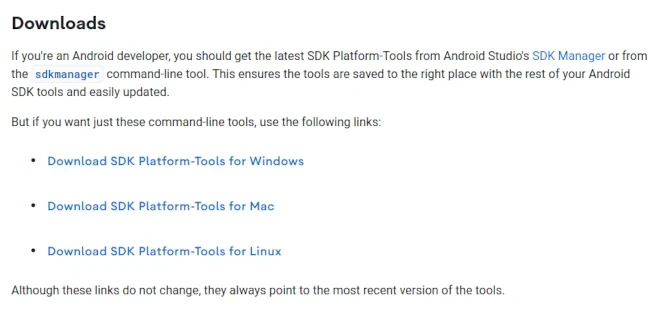
If the packages above are unavailable or too old, download the official Platform Tools from developer.android.com (link: Download SDK Platform-Tools for Linux).
Extract the downloaded
.zipfile. This guide assumes you extracted it to your home directory, giving you a~/platform-toolsfolder.Open a terminal in that folder and run the tools from there:
cd ~/platform-tools
./adb devices
./fastboot devices
Optional — to run
adbandfastbootfrom any folder, add them to yourPATH. Add this line to the.bashrcfile in your home directory (pressCtrl+Hin your file manager to show hidden files):export PATH="$HOME/platform-tools:$PATH"Then open a new terminal:
adb devicesandfastboot deviceswork from anywhere.
Enable USB debugging on the phone
The phone must allow adb connections before your PC can see it:
On the phone, open
Settings→About phoneand tapBuild number7 times. A message confirms that developer mode is enabled.Go back to
Settings→System→Developer optionsand enable USB debugging.Connect the phone to the PC with a USB cable.
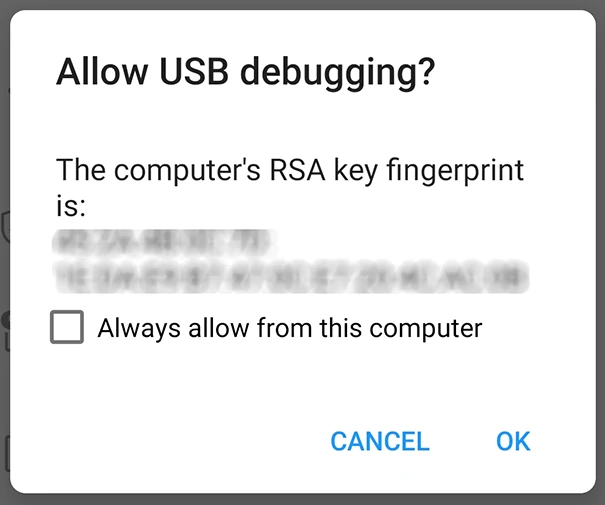
A popup appears on the phone: Allow USB debugging? Tick Always allow from this computer and tap OK to authorize your computer.
Verify the connection
On the PC, run:
adb devices
You should see your device serial number followed by device:
List of devices attached
ABC123XYZ    device
If the list is empty, check the USB cable, and that USB debugging is still
enabled on the phone. On some distributions you may also need to add your user
to the plugdev group (sudo usermod -aG plugdev $USER, then log out and back
in) for the device to be detected.